

Barcode label software that also prints MICR checks
IDAutomation provides two applications for designing and printing bank checks: the Check Design and Printing Software that comes with the MICR font, and Barcode Label Software Pro, which prints MICR checks as graphics without fonts.
Two ways to print MICR checks
Pick fonts when you already have check software. Pick Label Software Pro when you want one tool for checks and barcode labels.
Barcode Label Software Pro
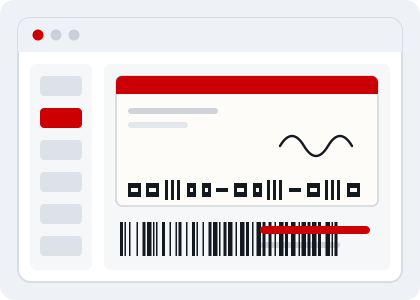
Design and print MICR bank checks on blank check stock with templates, and print barcodes, incrementing numbers and database-driven data on the same labels and documents.
- Prints MICR checks as graphics, without fonts
- WYSIWYG label design with MICR templates for bank checks
- Supports Code 128, GS1-128, Code 39, UPC, EAN, ITF, QR Code, Data Matrix, PDF417 and more
- Connects to ODBC, DSN, Oracle and SQL Server sources, with VB scripting
Check Design and Printing Software
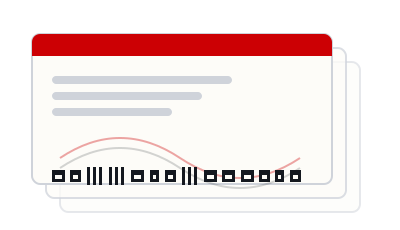
Included free with the purchase of the MICR E13B Font Advantage Package. Design, create and print checks on blank or pre-designed check stock.
- Drag-and-drop design with signatures and logos
- Pre-defined check stock templates and implementation examples
- Precise MICR calibration tool
- Incrementing check numbers and date macros; compatible with Windows 7 and greater
Compare the software
Feature details are from IDAutomation’s product pages. See the full feature comparison chart (opens in a new tab).
| Feature | Detail |
|---|---|
| Prints MICR as | Font (Check Design and Printing Software) or graphics without fonts (Label Software Pro) |
| MICR included | Check software is free with the MICR E13B Font Advantage Package; MICR objects are in the Pro version of the label software |
| Barcodes | Label Software Pro supports linear symbologies plus Aztec, GS1 DataBar, PDF417, MicroPDF, Data Matrix, QR Code and Maxicode |
| Data sources | Excel, CSV, ODBC, DSN, Oracle and SQL Server in the Pro version |
| Templates | Downloadable MICR bank check templates, such as a 3-up example, work with label software version 2009 or greater |
Related resources
Need checks and barcode labels in one tool?
Evaluate Barcode Label Software Pro from IDAutomation.